

 Thiết Kế Website
 SEO tổng thể
 Sáng Tạo Nội Dung
 Bộ nhận diện thương hiệu
Hướng Dẫn A-Z, Kiến Thức Wordpress
Beginners Guide
How to Schedule Your Posts in WordPress (Step by Step)
Did you know that WordPress has the ability to schedule your posts to be published at a future time? This extremely useful feature is slightly hidden, which is why many beginners don’t even notice it. By scheduling your posts, you never have to worry about… Read More »
Common Gutenberg Questions Answered (WordPress 6.0+ FAQ)
Do you have questions about Gutenberg and how it works? When WordPress 5.0 was released back in 2019, it introduced a new content editor called Gutenberg, or the block editor. Since then, WordPress users have had a lot of questions regarding how to use it… Read More »
How to Add a New Post in WordPress and Utilize all Features
This article will help you through out writing your first post. We will mention features that often go unnoticed on add a new post page. This should be your reference guide for adding a new post and utilizing all the features.
Cover Image vs. Featured Image in WordPress Block Editor (Beginner’s Guide)
Recently, a user asked about the difference between a cover image and a featured image in WordPress. With the WordPress block editor, you can add a Cover block. It lets you add cover images to your posts and pages. This feature has confused some users… Read More »
How to Create a Free Business Email Address (in 5 Minutes)
Creating a professional business email address is a crucial step for your company. It distinguishes your communications from those sent from generic Gmail, Outlook, or Yahoo accounts. This guide will walk you through the steps to set up a free business email address quickly. You… Read More »
How to Get a Free SSL Certificate for Your WordPress Website (Beginner’s Guide)
Google marks all non-SSL websites as “Not Secure.” This can scare away visitors and harm your site’s credibility. An SSL certificate protects your website data and is essential for accepting online payments. For beginners, paid SSL certificates can be pricey. But don’t worry. There are… Read More »
How to Register a Domain Name (and get it for FREE) in 2024
Do you want to start a blog or a new online business in 2024? If you do, then you’ll need to register a domain name. The first step towards building a website is to find a good domain name and register it. In this article,… Read More »
How to Update Your Old WordPress Posts with Gutenberg Block Editor
Wondering how to update your old blog posts with Gutenberg, the default WordPress Block Editor? Some readers are reluctant to stop using the old Classic Editor. The good news is that you can easily move to the Block Editor without hurting your old articles. In… Read More »
How to Increase Your Blog Traffic – The Easy Way (27 Proven Tips)

Starting a blog these days has become easy with platforms like WordPress. However, once it’s up and running, your next big challenge is to bring more traffic to your blog or website. Don’t worry, you don’t need to be a marketing guru to promote your… Read More »
How to Create a Reusable Block in WordPress Block Editor (Gutenberg)
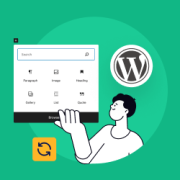
Do you want to create a reusable block in the WordPress block editor? Reusable blocks, now known as patterns, allow you to save any content block and reuse it in other posts and pages on your website. This saves time and effort and boosts your… Read More »