

 Thiết Kế Website
 SEO tổng thể
 Sáng Tạo Nội Dung
 Bộ nhận diện thương hiệu
Hướng Dẫn A-Z, Kiến Thức Wordpress
Beginners Guide
How to Resize and Make Images Larger without Losing Quality
Have you ever tried resizing an image to make it larger but instead lost the image quality? When you try to enlarge an image, it can look blurry and unprofessional. A picture is made up of thousands of pixels, and when you increase its size,… Read More »
7 Essential Tips for Using Shortcodes in WordPress
Are you looking to use shortcodes the right way on your WordPress website? Shortcodes in WordPress allow you to add various functionality to posts, pages, and widgets without actually writing any code. Many WordPress plugins and some themes use shortcodes to add different elements, such… Read More »
How to Easily and Securely Manage Passwords (Beginner’s Guide)
Do you feel overwhelmed by the number of different usernames and passwords you have to remember? Recently, one of our readers asked us for the best and most secure way WordPress users can manage their passwords. In this article, we will show you how to… Read More »
When Do You Need a Custom Post Type or Taxonomy in WordPress?
Custom post types and taxonomies can extend WordPress beyond its standard features. If you use them the right way, they can help organize your site more effectively. That said, they might not always be necessary, and you may be wondering if you should use them.… Read More »
How to Add a Line Break in WordPress (New Line Spacing)
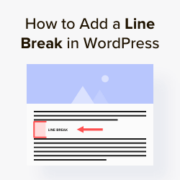
Recently, a user asked us if there is a way to add a line break in WordPress or adjust the line spacing between blocks. In most word processors, you can easily add extra blank line space by pressing the enter key a few times. You… Read More »
How to Remove Numbers From WordPress URLs
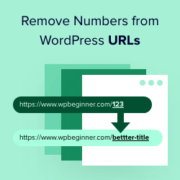
Imagine sharing a blog post called “10 Tips for…” only to have the URL end in a string of meaningless numbers. That URL doesn’t tell users or search engines about the article’s contents. That’s why Google’s SEO starter guide encourages the use of simple, readable… Read More »
How to Fix Featured Images Appearing Twice in WordPress Posts
It can be frustrating when you see featured images appearing twice in WordPress posts. While creating a new post is usually easy, this common glitch can disrupt your layout and design. The good news is that fixing this problem is simple once you know the… Read More »
How Do PHP Updates by Your Web Host Impact WordPress Sites?
Have you received a notice from your hosting provider about upgrading to a new version of PHP and are wondering what it means for your website? WordPress is written in the PHP programming language. It is a server-side language, which means it runs on your… Read More »
How to Install WordPress Plugins and Themes from GitHub
Are you wondering how to install WordPress plugins and themes from GitHub? GitHub is a project hosting service used by many open-source projects and developers. As a WordPress user, sometimes you may come across plugins or themes hosted on GitHub. Since GitHub is not specific… Read More »
How to Install and Setup WP Super Cache for Beginners (Easy Way)
A fast WordPress website makes your visitors happy and helps your site rank better. That’s because search engines like Google now consider site speed to be an important ranking factor. WP Super Cache is a popular plugin that creates static HTML files of your web… Read More »